Web App · 2025
Insights.
A B2B insurance administration platform for Weecover — giving brokers a unified workspace to create quotations, manage policies, track claims, and monitor their book of business in real time.
Overview
Insights. is a full-featured insurance management platform built for Weecover — an insurtech company enabling digital insurance distribution. The platform is designed for brokers and agents who need to manage the entire policy lifecycle: creating quotations, enrolling insured persons, collecting health declarations, processing payments, and emitting policies.
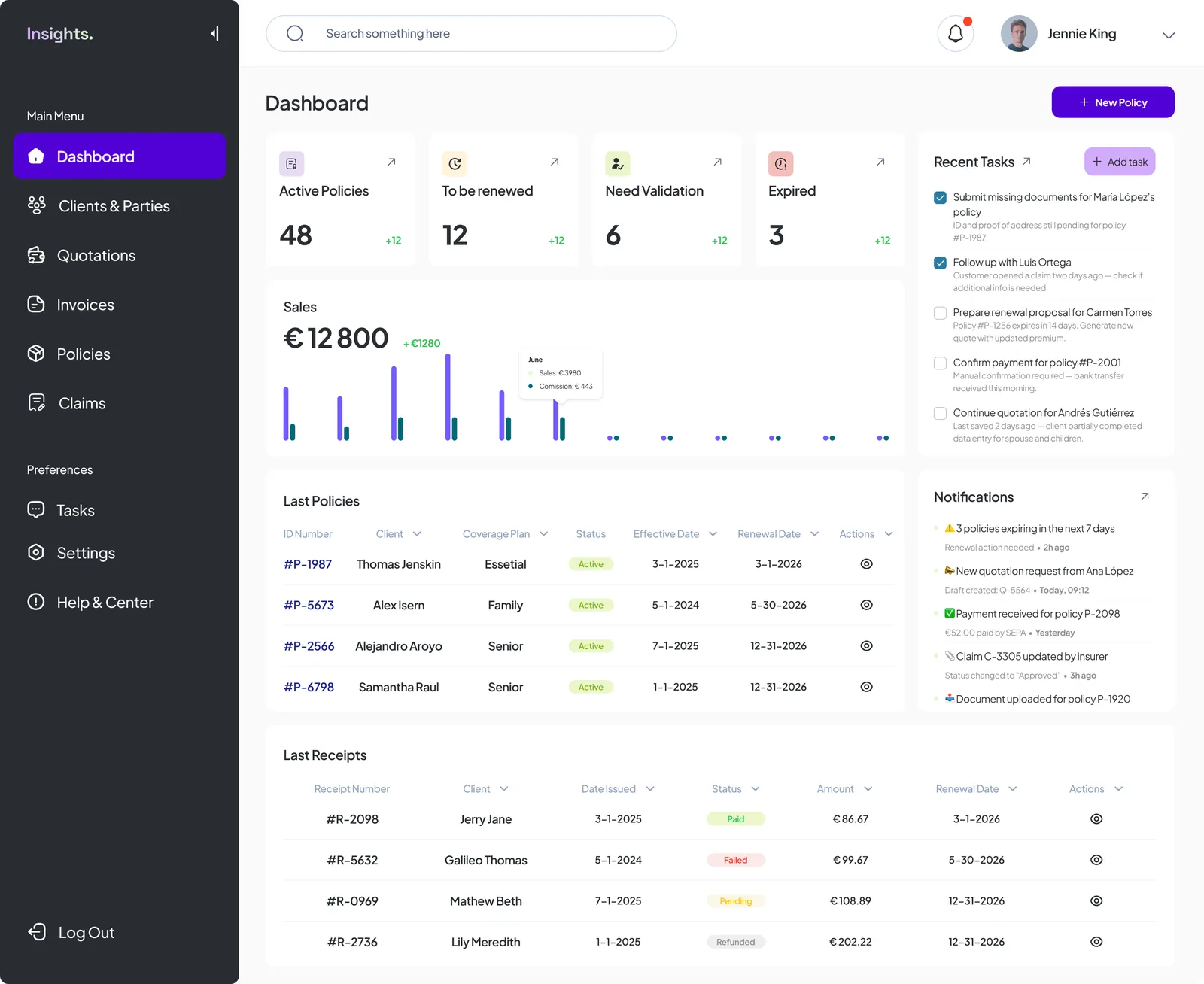
The dashboard gives brokers an at-a-glance view of their portfolio — active policies, renewals, sales performance, and pending tasks — all in a single, fast interface built for daily professional use.
The Problem
Insurance brokerage has historically relied on fragmented tools: PDF forms, spreadsheets, legacy portals, and email chains. Brokers managing dozens of active clients face high cognitive load — tracking policy statuses, renewal deadlines, pending validations, and outstanding payments across different systems.
Weecover needed a purpose-built administration platform that could unify these workflows, reduce data entry friction, and give brokers confidence that nothing falls through the cracks.
"A broker shouldn't need three tools and a spreadsheet to issue a single policy."
Design Process
The core design challenge was the quotation creation flow — a multi-step process involving policyholder data, product selection, insured person details, health declarations, payment configuration, and final emission. The risk was overwhelming users with too much at once.
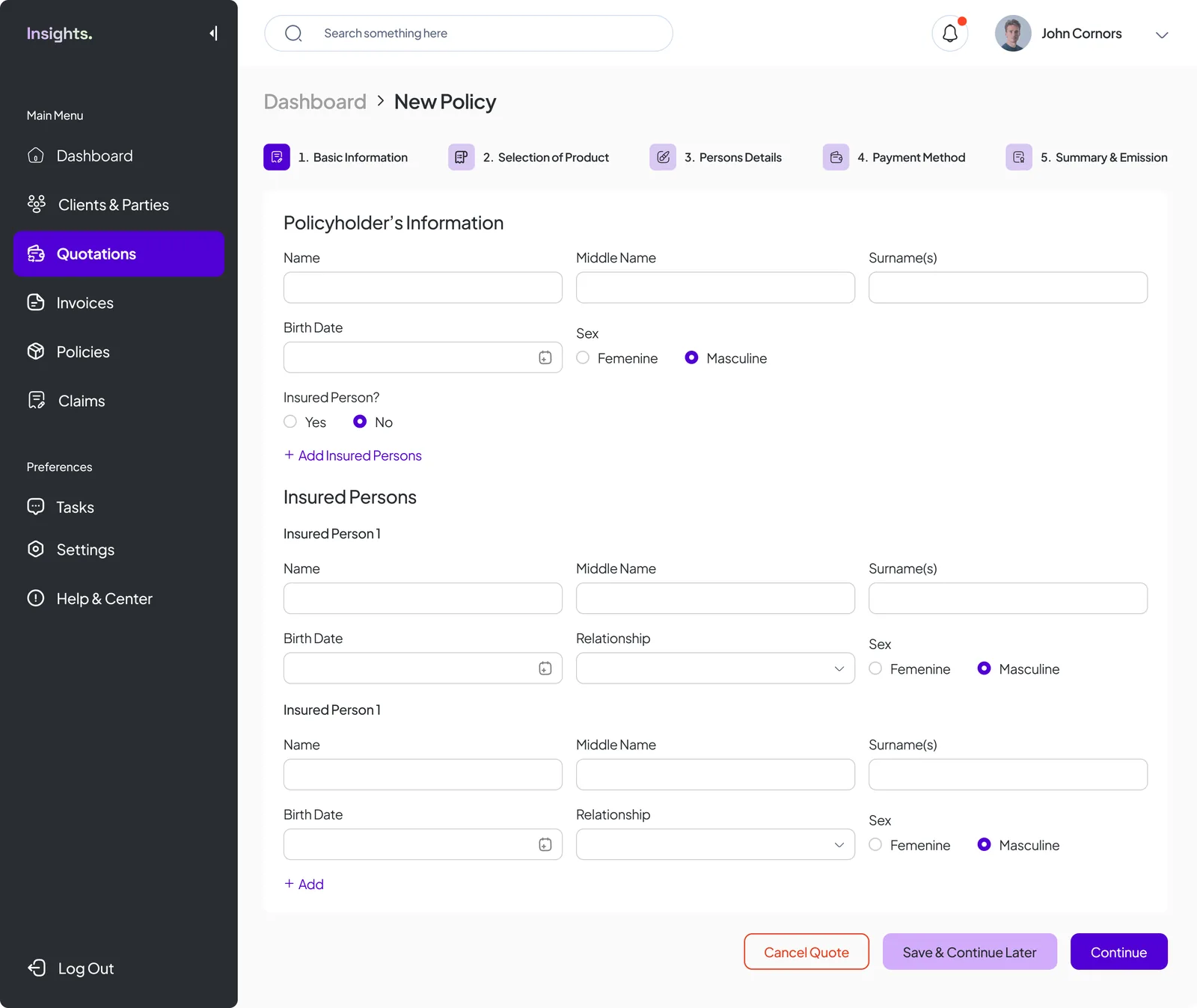
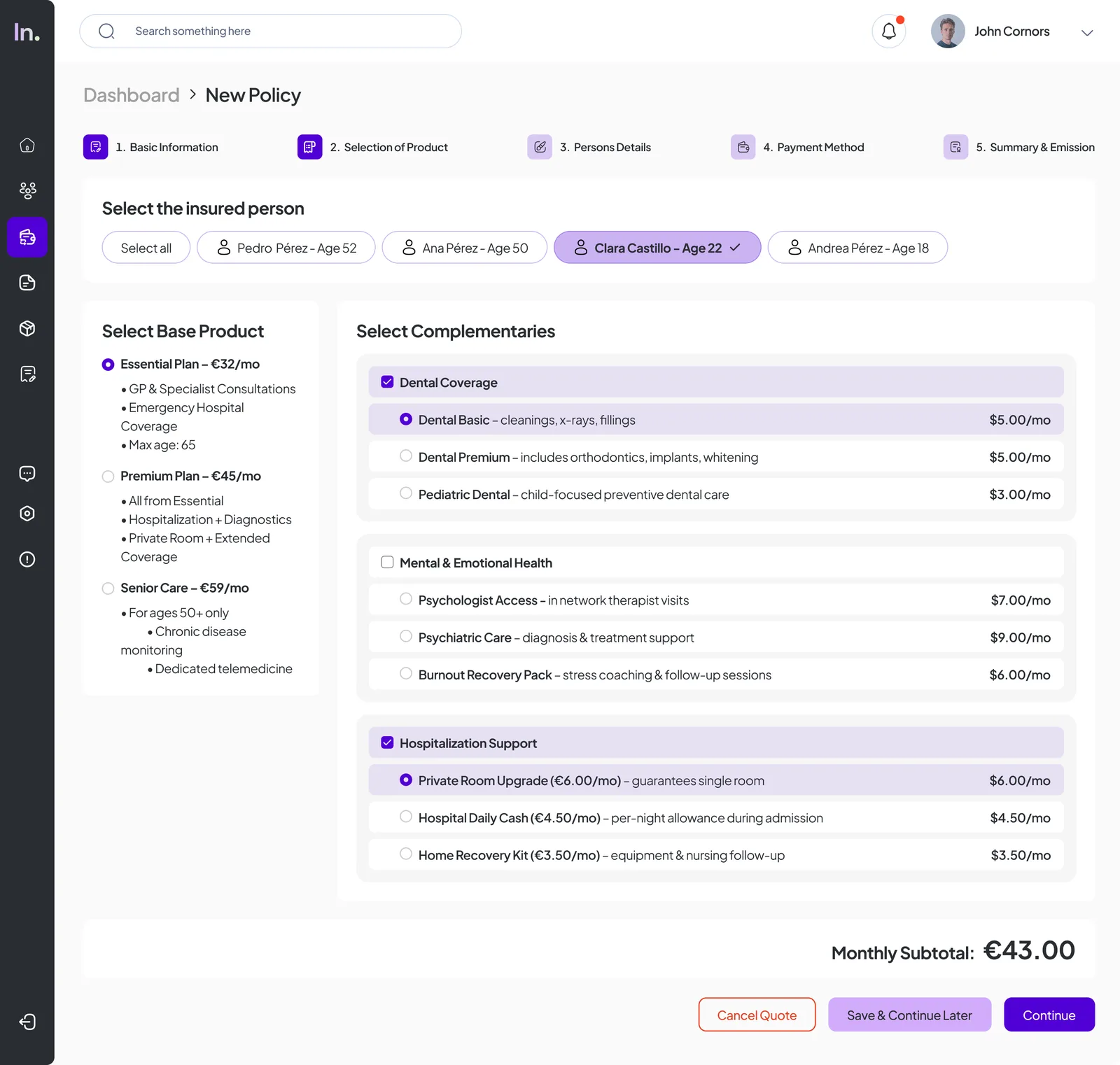
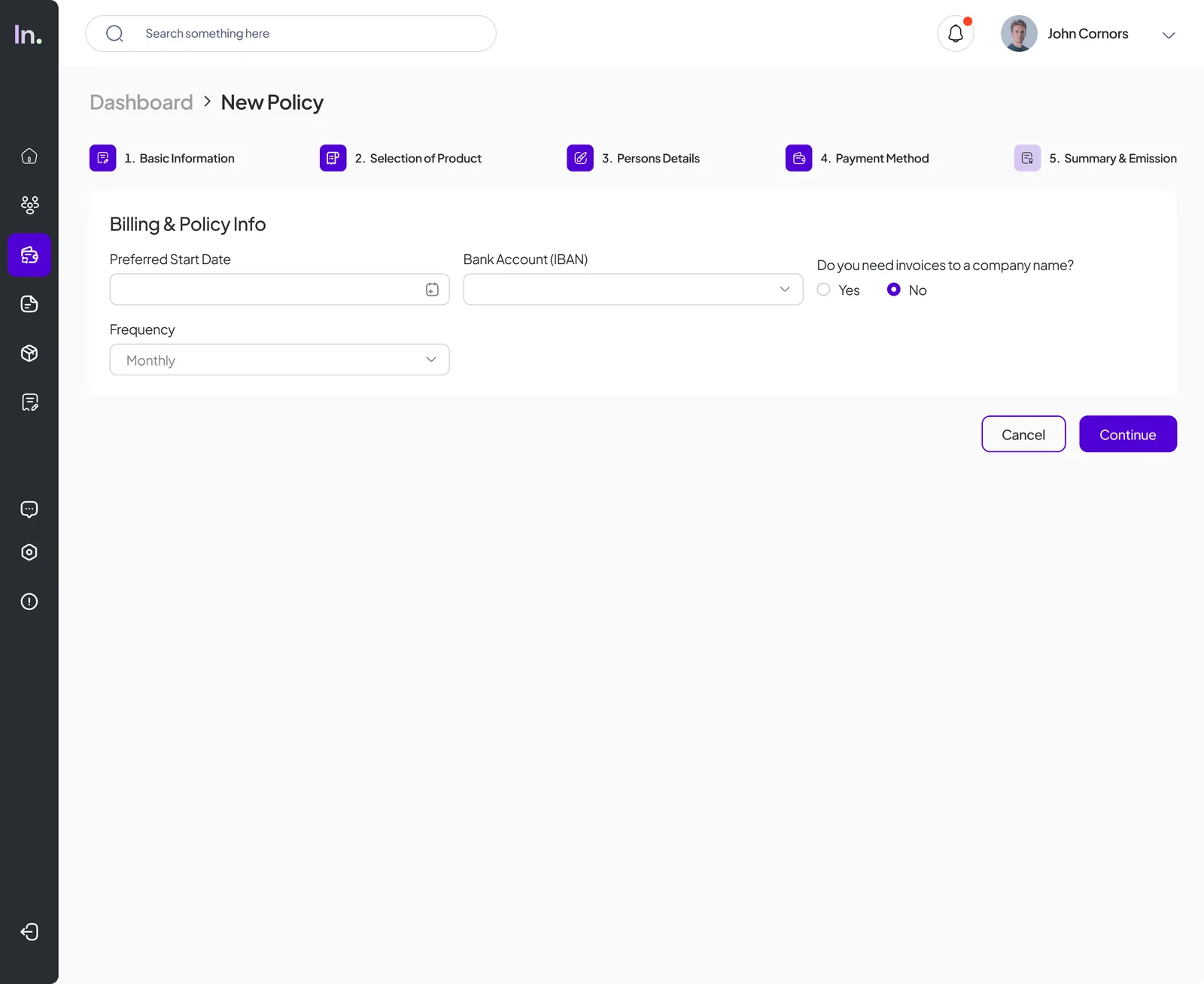
The solution was a clearly staged 5-step wizard with a persistent progress bar: Basic Information → Selection of Product → Person Details → Payment Method → Summary & Emission. Each step is focused on a single decision, with the ability to save and continue later at any point.
Key Screens
Step 2 introduces one of the most complex interactions: selecting a base insurance product (Essential, Premium, or Senior Care) and then configuring complementary add-ons per insured person — Dental Coverage, Mental & Emotional Health, Hospitalization Support. The layout separates base from complementaries spatially, making the selection logic immediately readable.
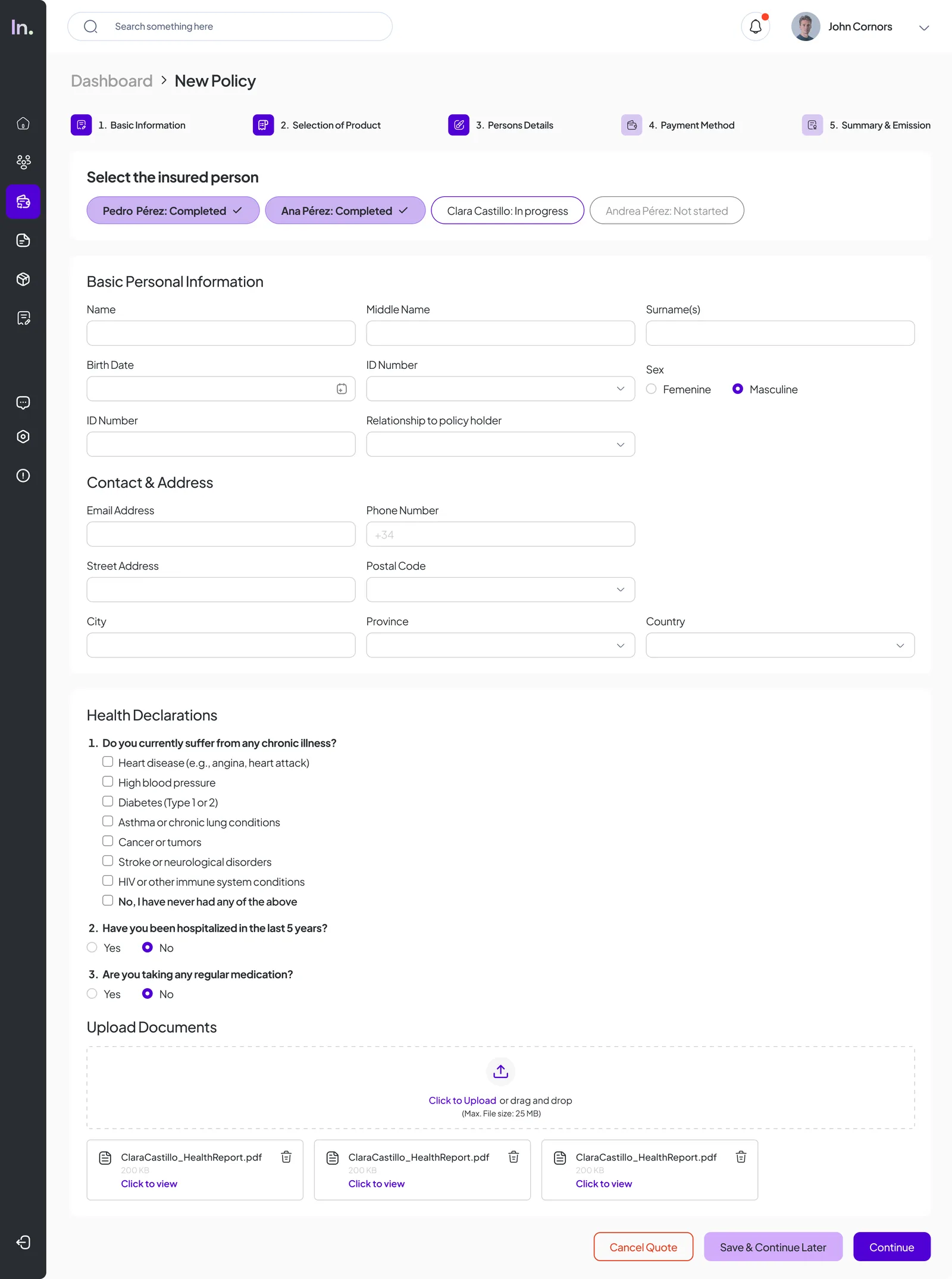
Step 3 handles per-person data collection — personal info, contact & address, health declarations (chronic illness, hospitalization history, current medication), and document uploads. Status pills at the top track completion across all insured persons, reducing the chance of missing a person's data before submission.
Summary & Emission
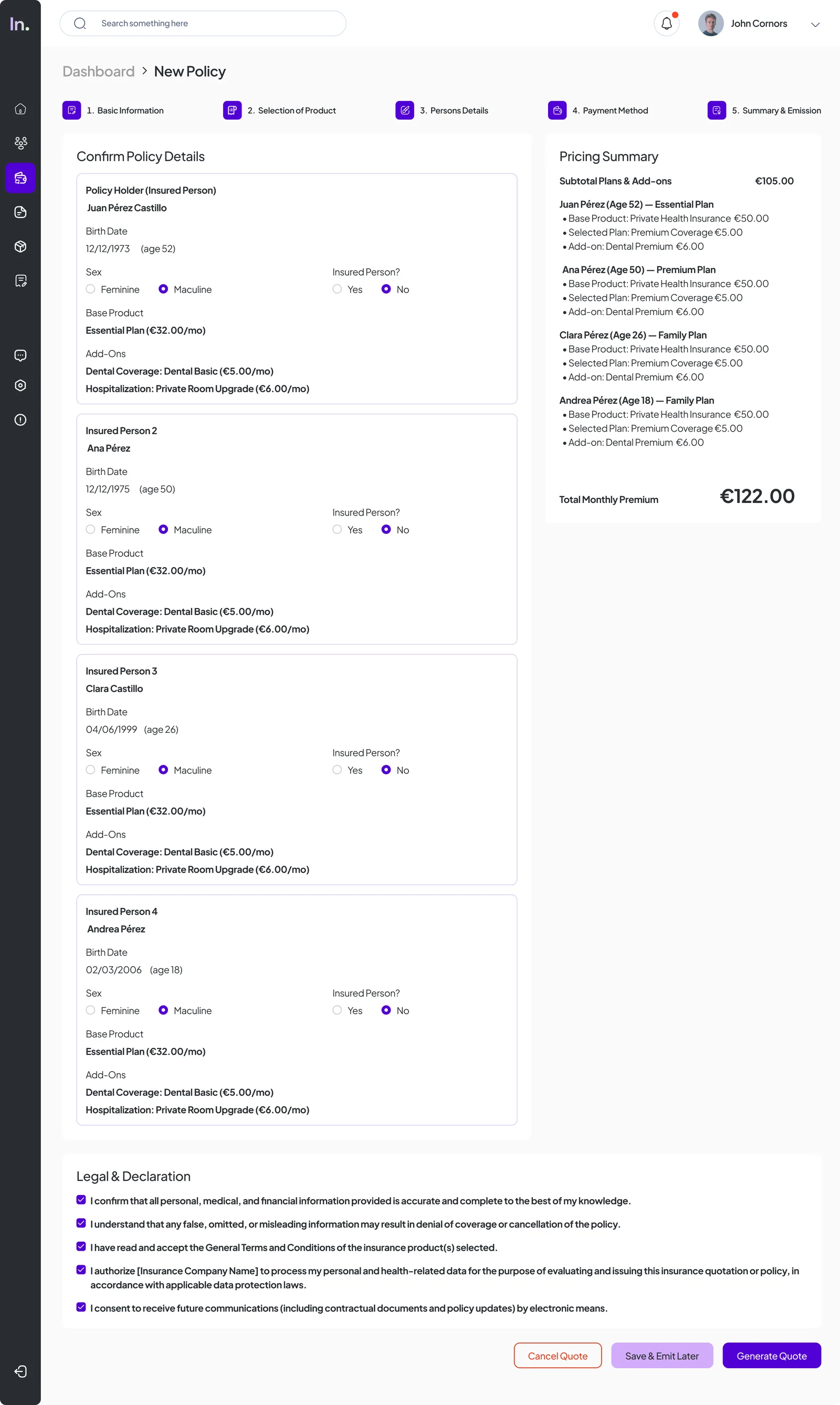
The final step shows a full confirmation view with all insured persons, their selected plans, add-ons, and a live pricing breakdown — subtotal, per-person itemization, and total monthly premium. A Legal & Declaration section with pre-checked consent items closes the flow before the broker generates the quote.
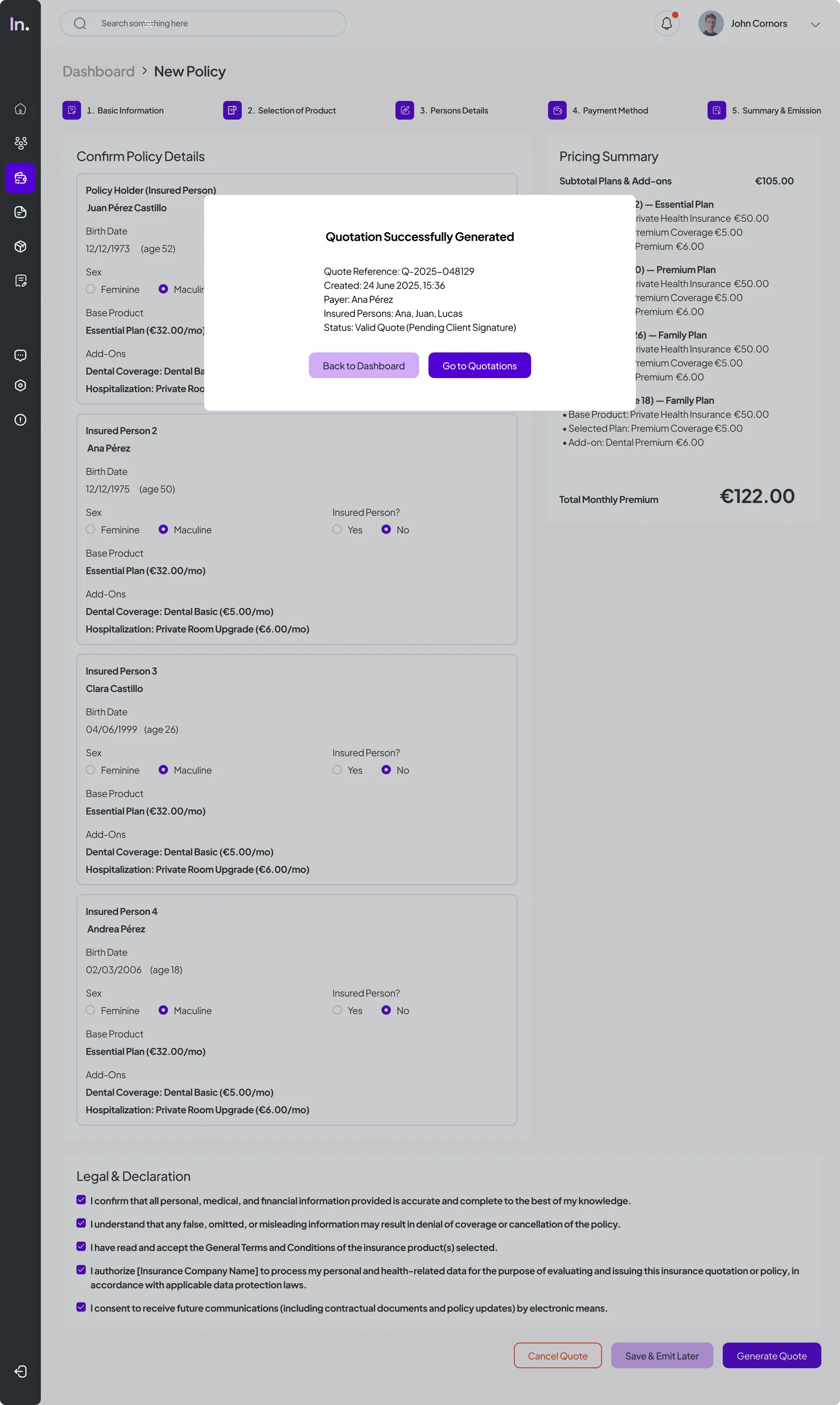
On success, a modal confirms the quote reference number, creation date, payer, insured persons, and status — with direct actions to go to the quotations list or return to dashboard. The whole flow is designed to feel final and trustworthy, not just a form submit.